← Everything the app may ask you to fix
Urgent: the bot cannot answer customersWhatsApp is disconnected
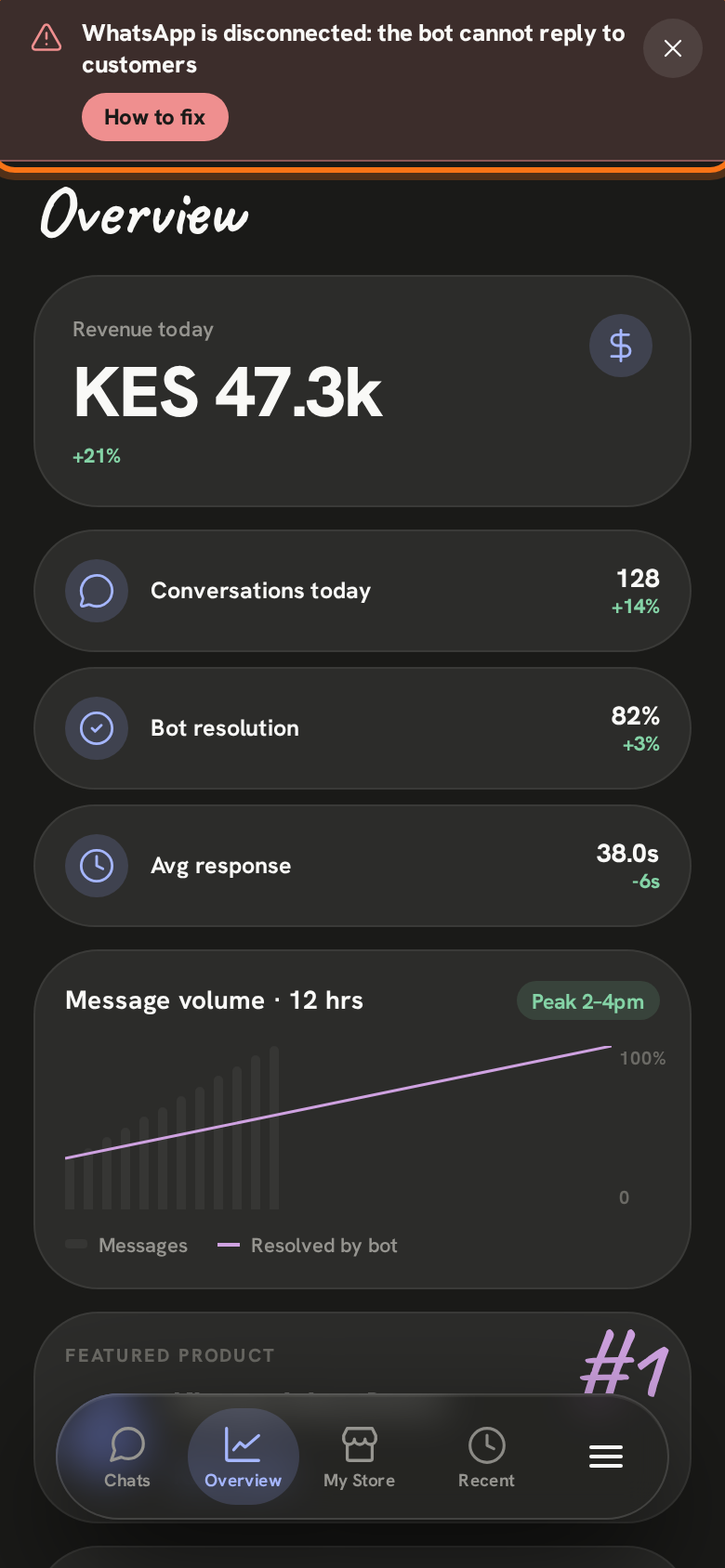
In the app: “WhatsApp is disconnected: the bot cannot reply to customers”
Your WhatsApp number is no longer connected to Zenai, so the messages your customers send are not answered.
- 1
A red bar shows at the top of every screen in the Zenai app. Tap How to fix to open this page. The ✕ hides the bar for two hours; it comes back until the number is connected.
- 2
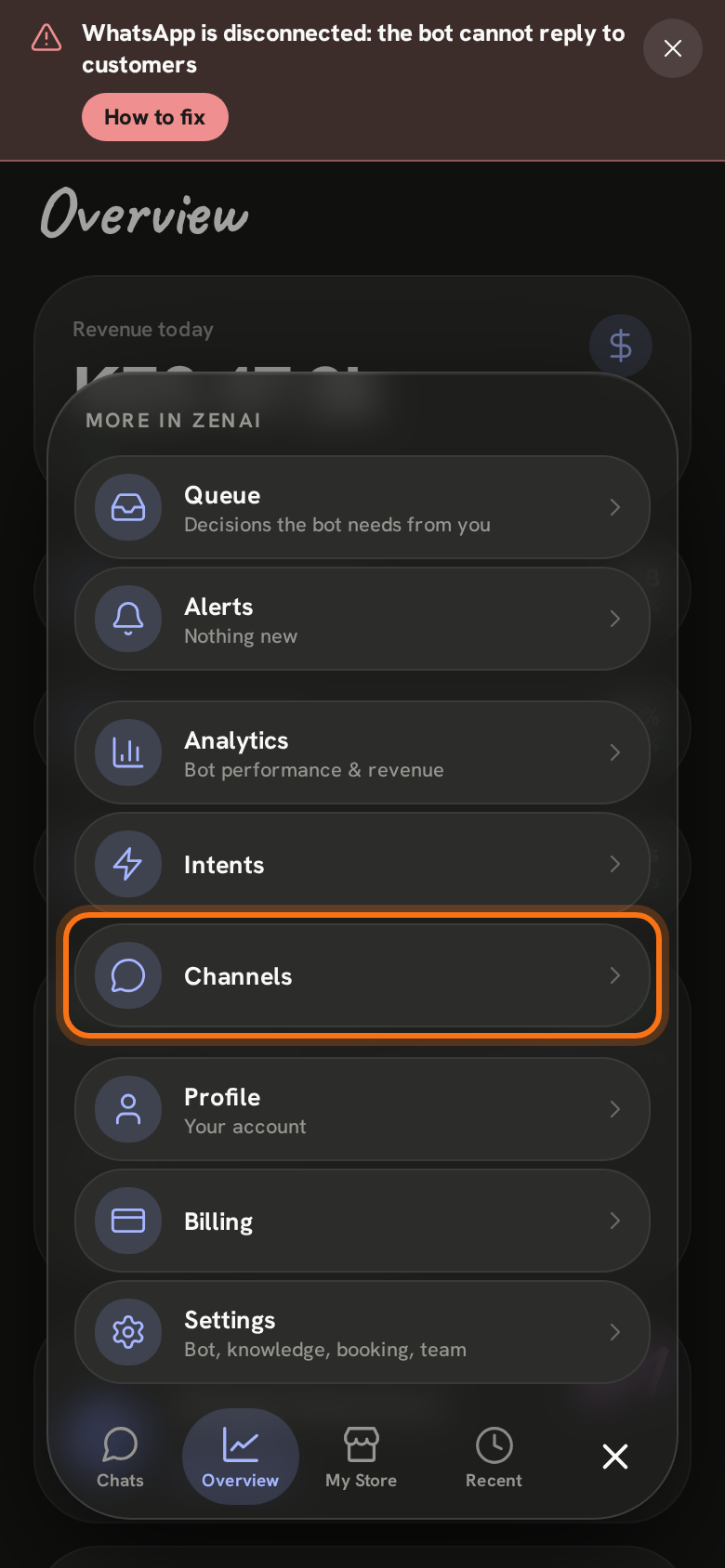
Tap ≡ at the bottom right of the screen, then Channels.
- 3
Tap Connect WhatsApp. Type the number your customers message and the name Meta should show them, then enter the 6-digit code Meta sends to that number. It takes about five minutes.
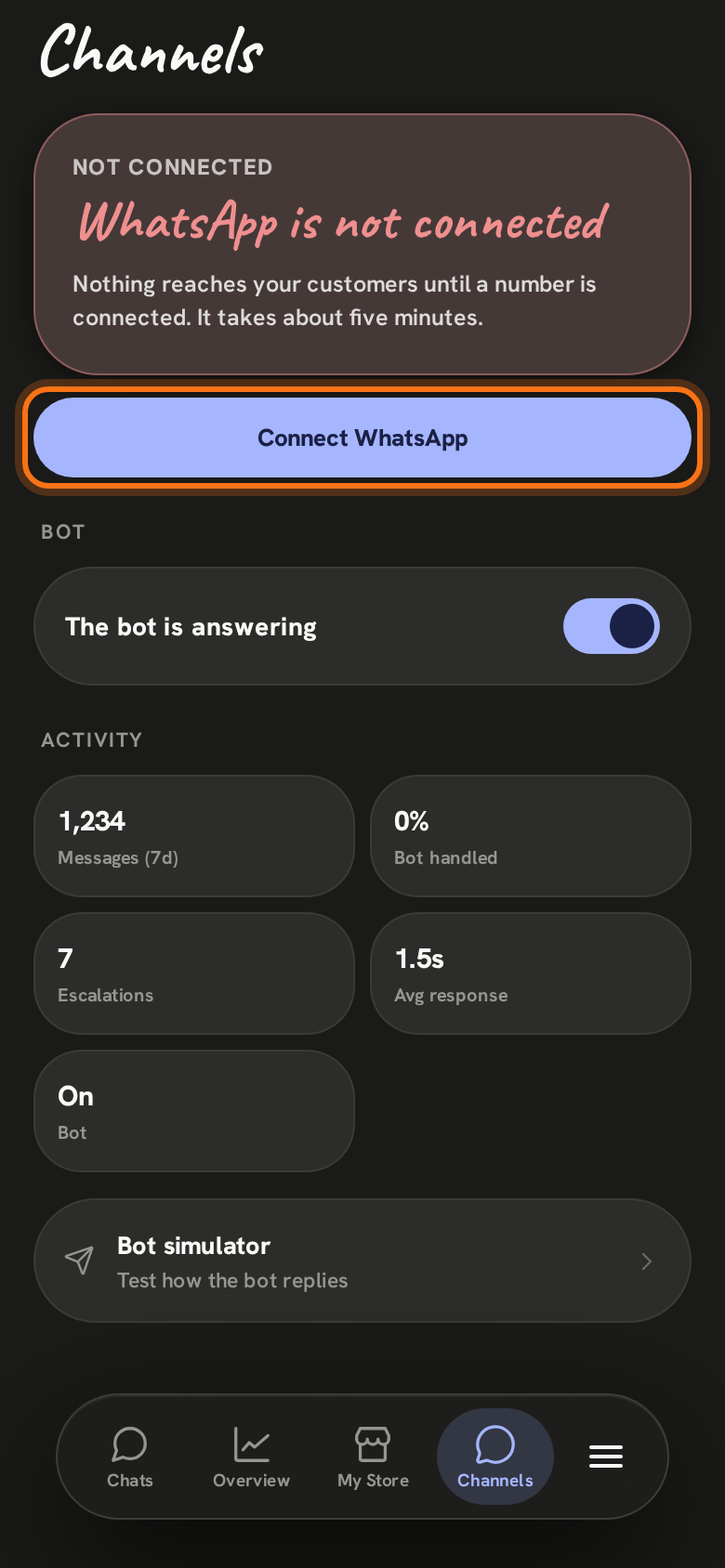
Once the number is connected the bot answers again, and the red bar goes away by itself.
Still stuck? Email support@zenai.pro with your business name and what you see.