← Everything the app may ask you to fix
Urgent: the bot cannot answer customersYour subscription has ended
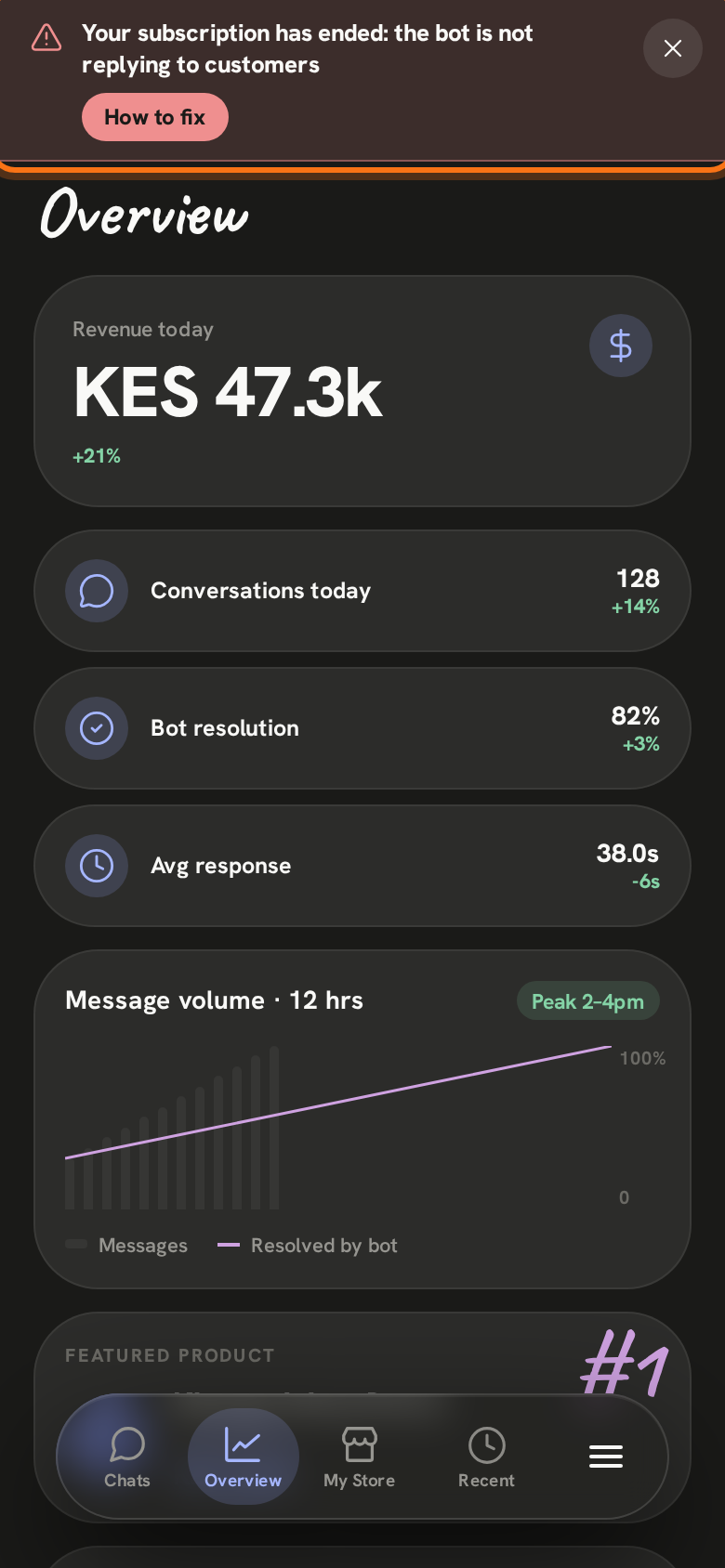
In the app: “Your subscription has ended: the bot is not replying to customers”
The bot has stopped answering your customers. Everything you set up is kept: your products, answers and chats. It starts again as soon as you pay.
- 1
A red bar shows at the top of every screen in the Zenai app. Tap How to fix to open this page. The ✕ hides the bar for two hours; it comes back until the subscription is paid.
- 2
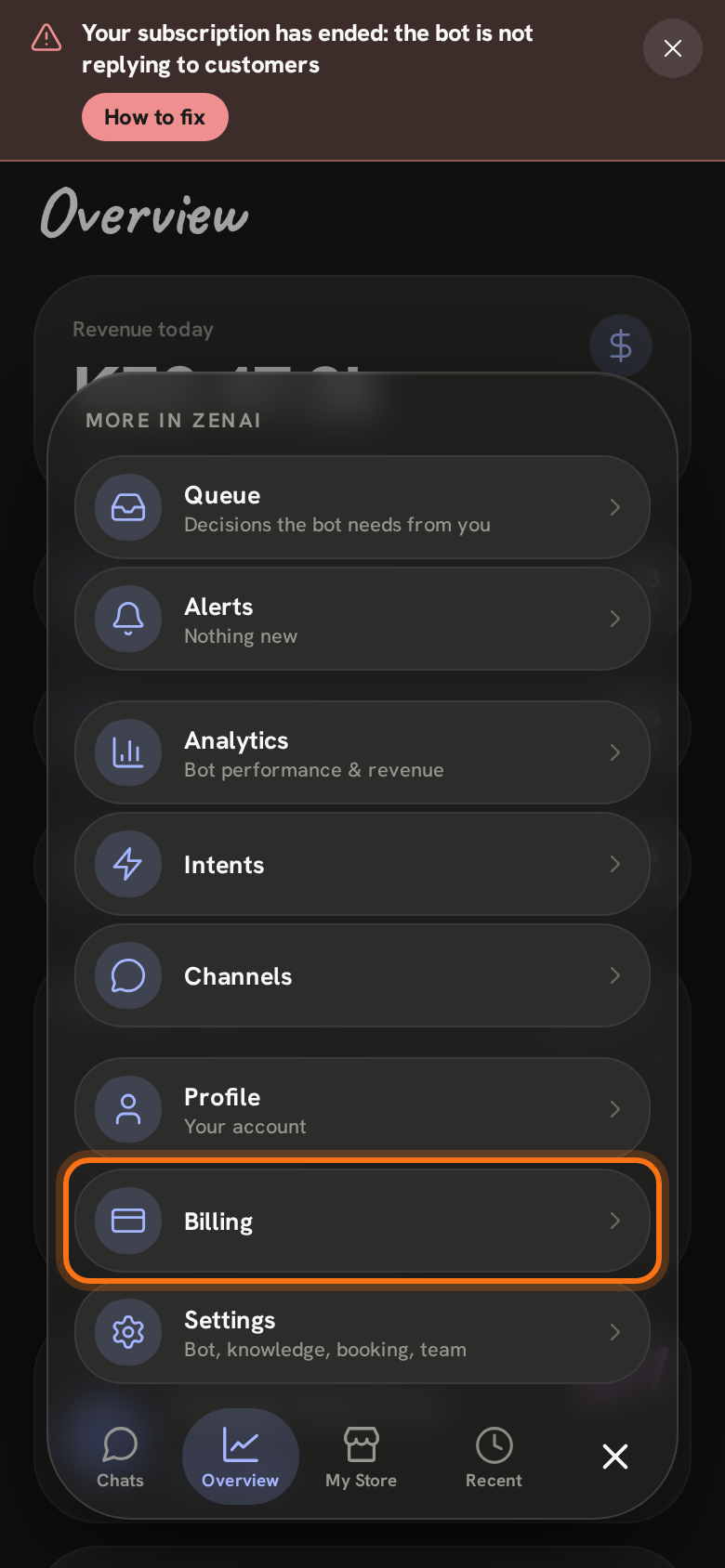
Tap ≡ at the bottom right of the screen, then Billing.
- 3
Tap Resubscribe. An M-Pesa prompt is sent to the number under Payment method (tap Change to use another number). Enter your M-Pesa PIN on that phone.
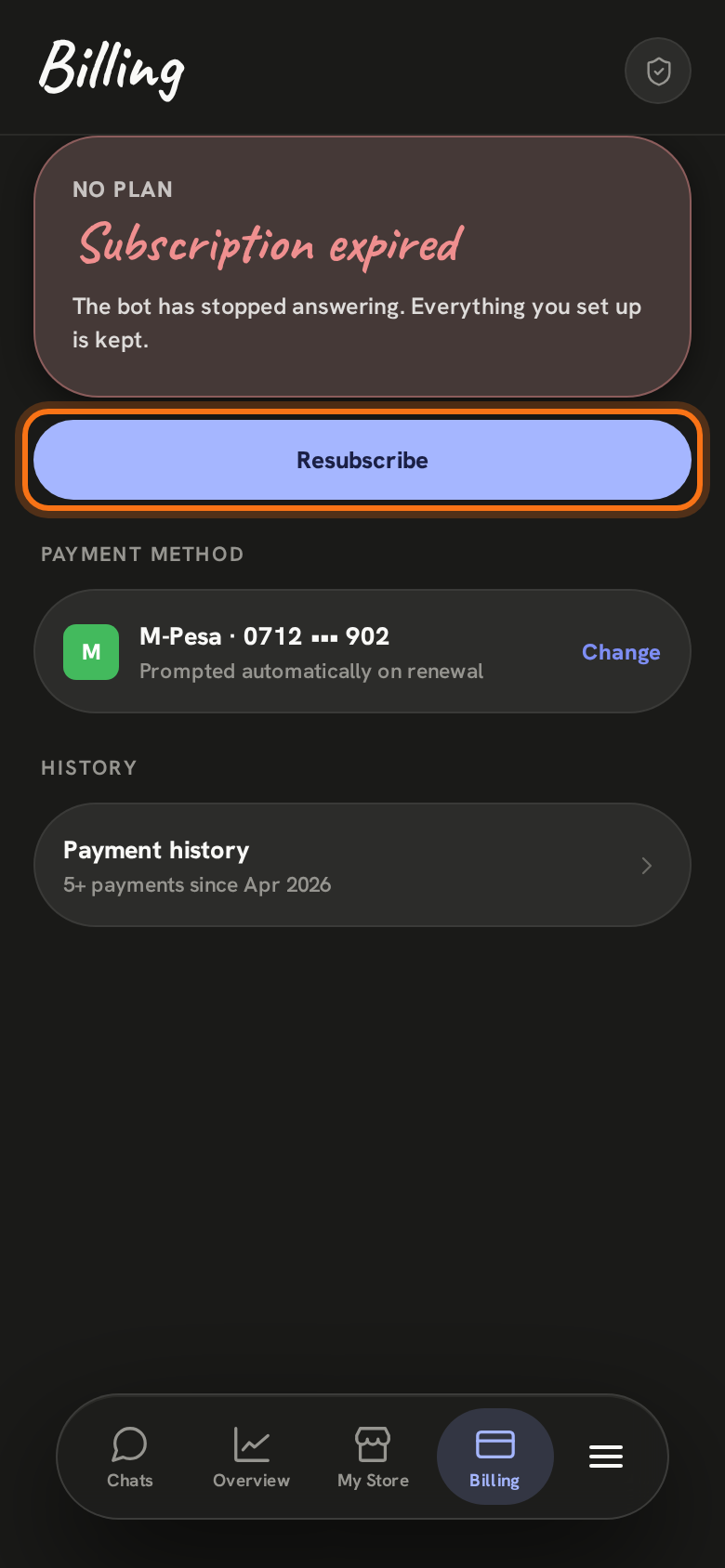
When the payment arrives the bot starts answering again, and the red bar goes away by itself.
Still stuck? Email support@zenai.pro with your business name and what you see.