← Everything the app may ask you to fix
Fix soon: customers are served worseNo payment details
In the app: “No payment details: customers cannot pay for orders”
The bot has no Till, Paybill or Pochi la Biashara to give a customer who wants to pay, so orders stop at "how do I pay?".
- 1
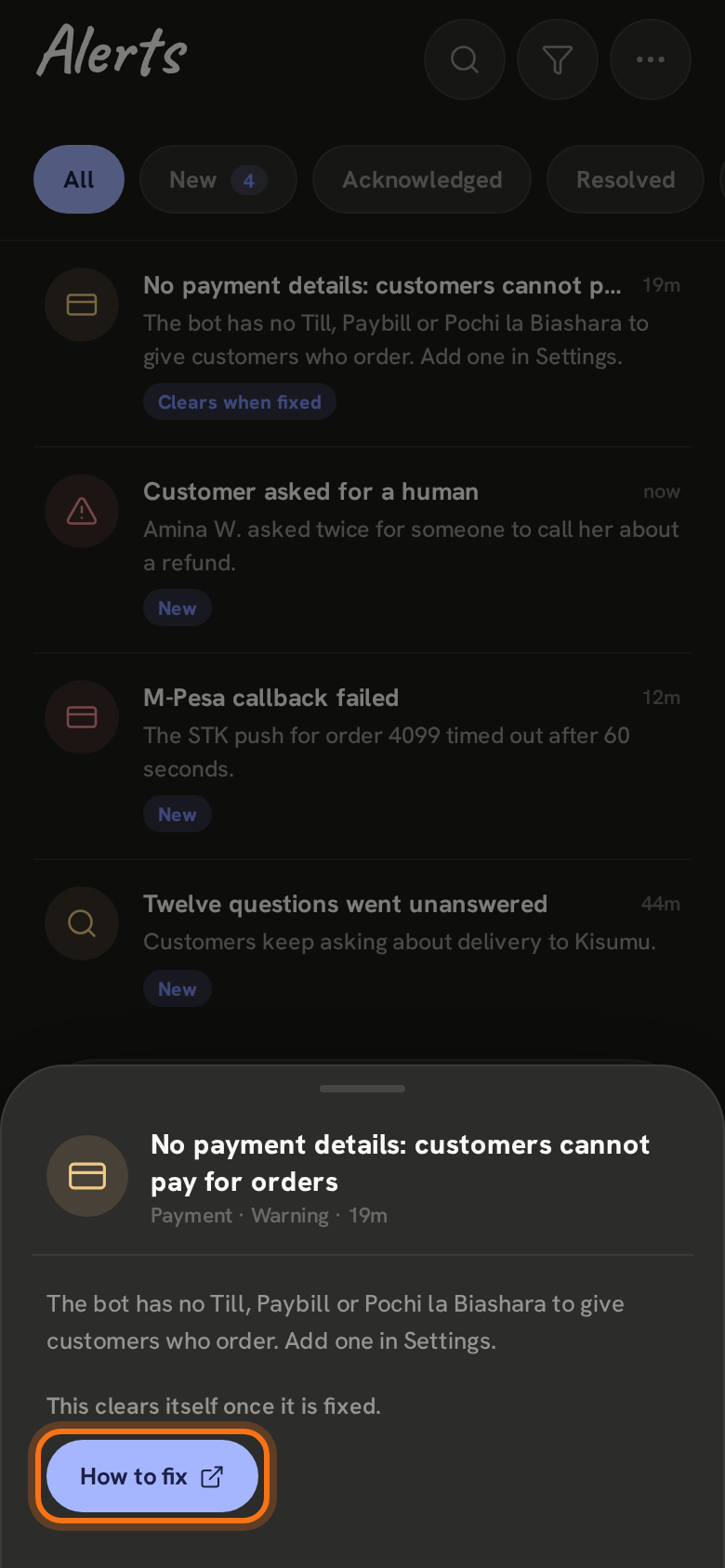
In Alerts it says No payment details. Open it and tap How to fix. Until it is fixed you are reminded once a day.
- 2
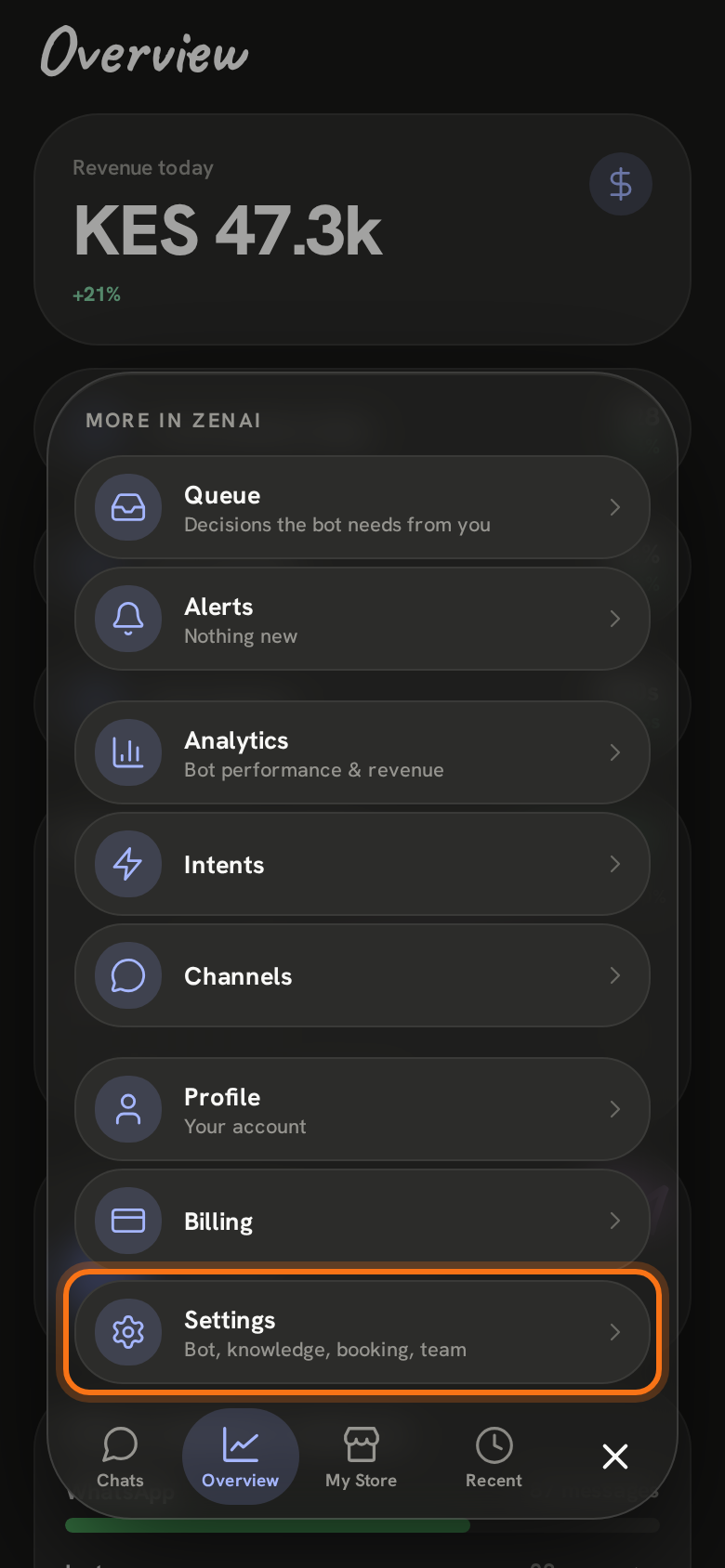
Tap ≡ at the bottom right of the screen, then Settings.
- 3
Under Payment details, fill in at least one: M-Pesa Till, Paybill number with its Paybill account, or Send money · Pochi la Biashara. Then tap Save at the bottom of the screen.
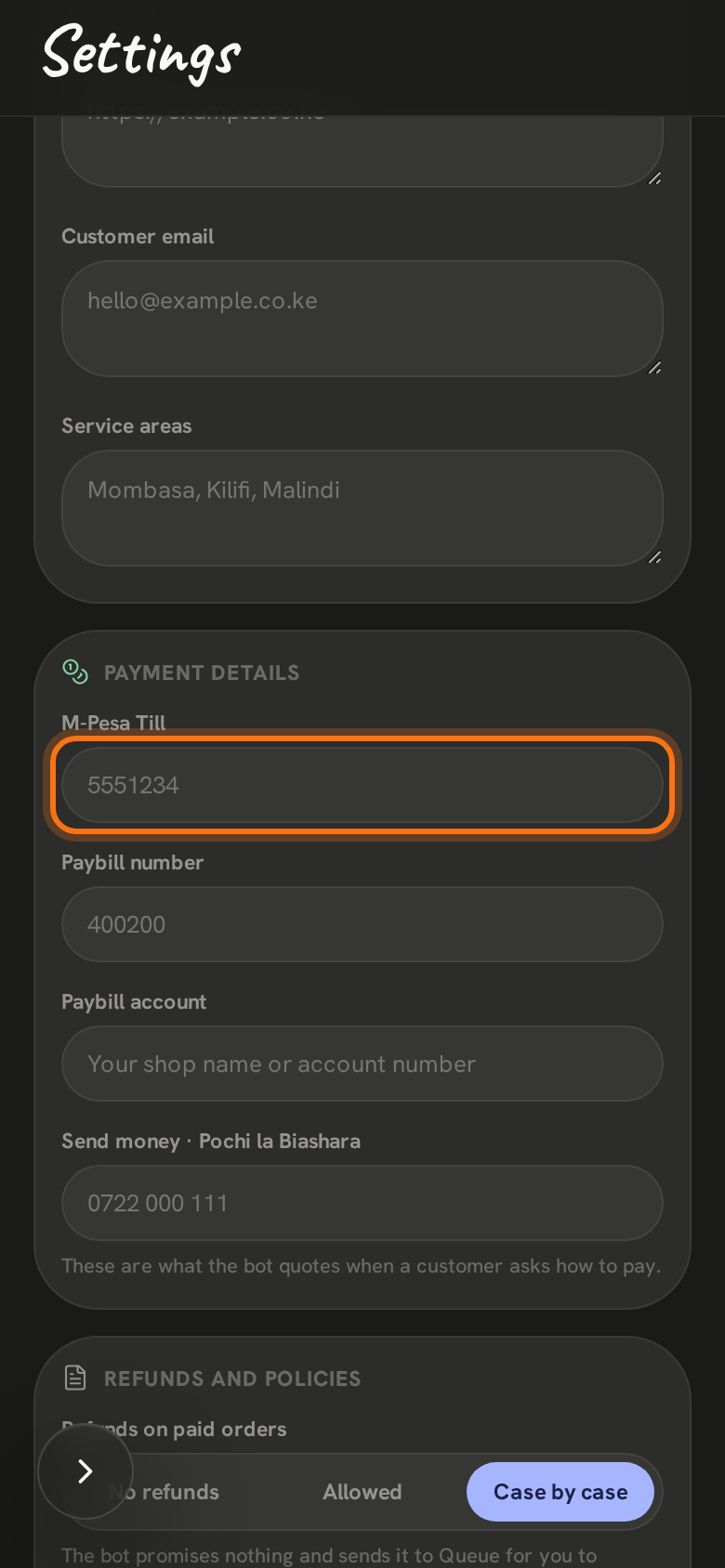
New payment details reach the bot overnight, at 2 am. The alert clears itself then.
Still stuck? Email support@zenai.pro with your business name and what you see.