← Everything the app may ask you to fix
Fix soon: customers are served worseYour catalogue is empty
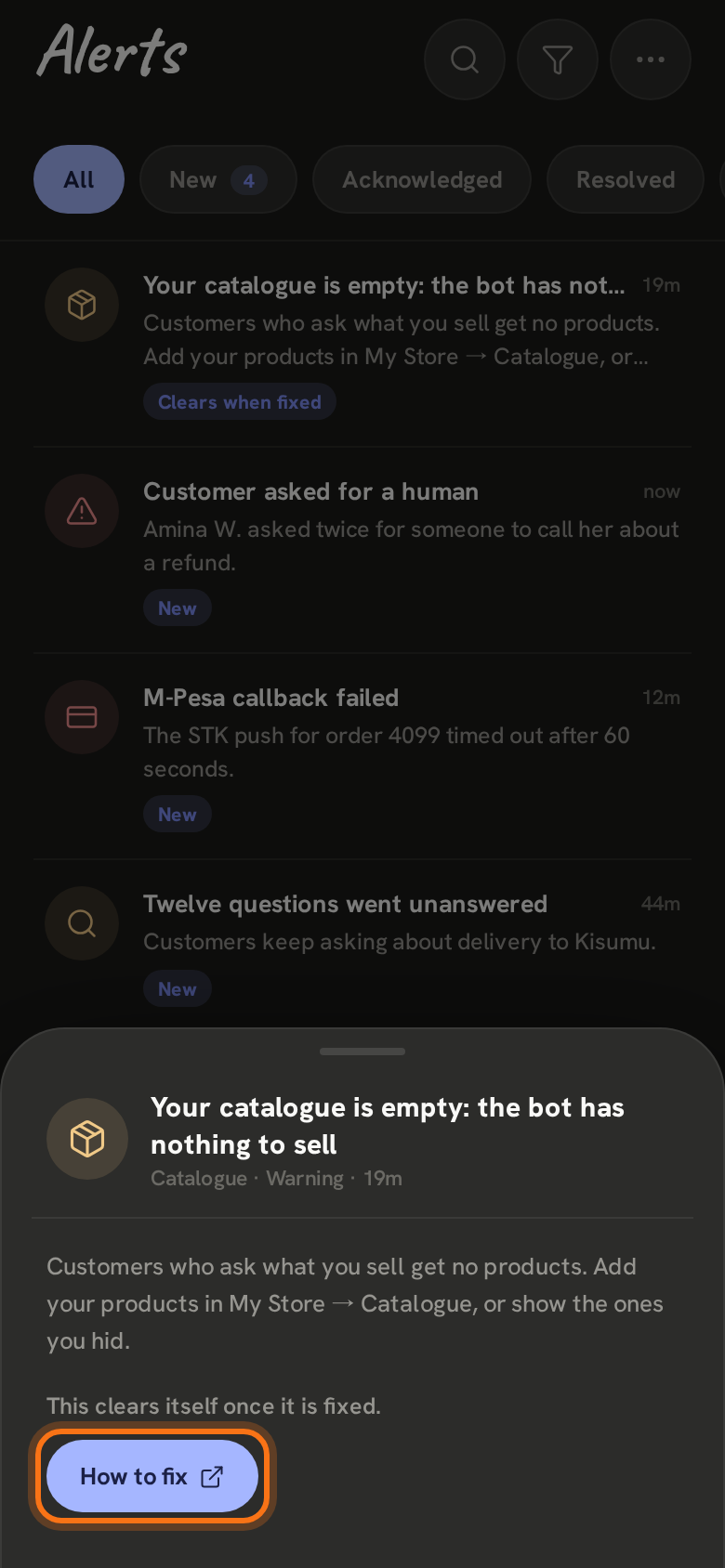
In the app: “Your catalogue is empty: the bot has nothing to sell”
Your WhatsApp is connected, but the bot has no products to offer, so a customer who asks what you sell gets nothing.
- 1
In Alerts it says Your catalogue is empty. Open it and tap How to fix. Until it is fixed you are reminded once a day.
- 2
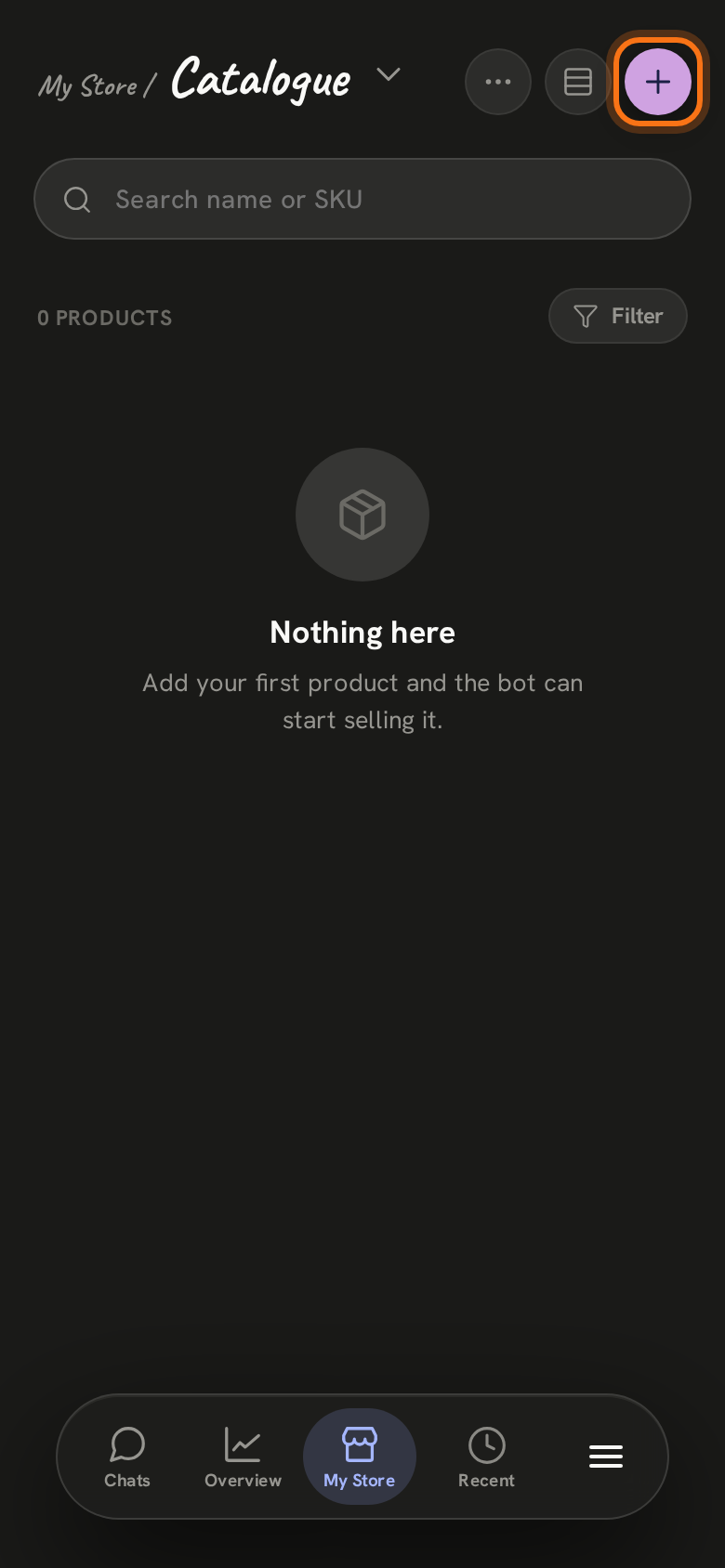
Tap My Store at the bottom, then the title at the top and choose Catalogue. Tap + at the top right.
- 3
Give the product its name and price, add a photo if you have one, and tap Save. If your products are already there but hidden, open each one and switch on The bot can offer this.
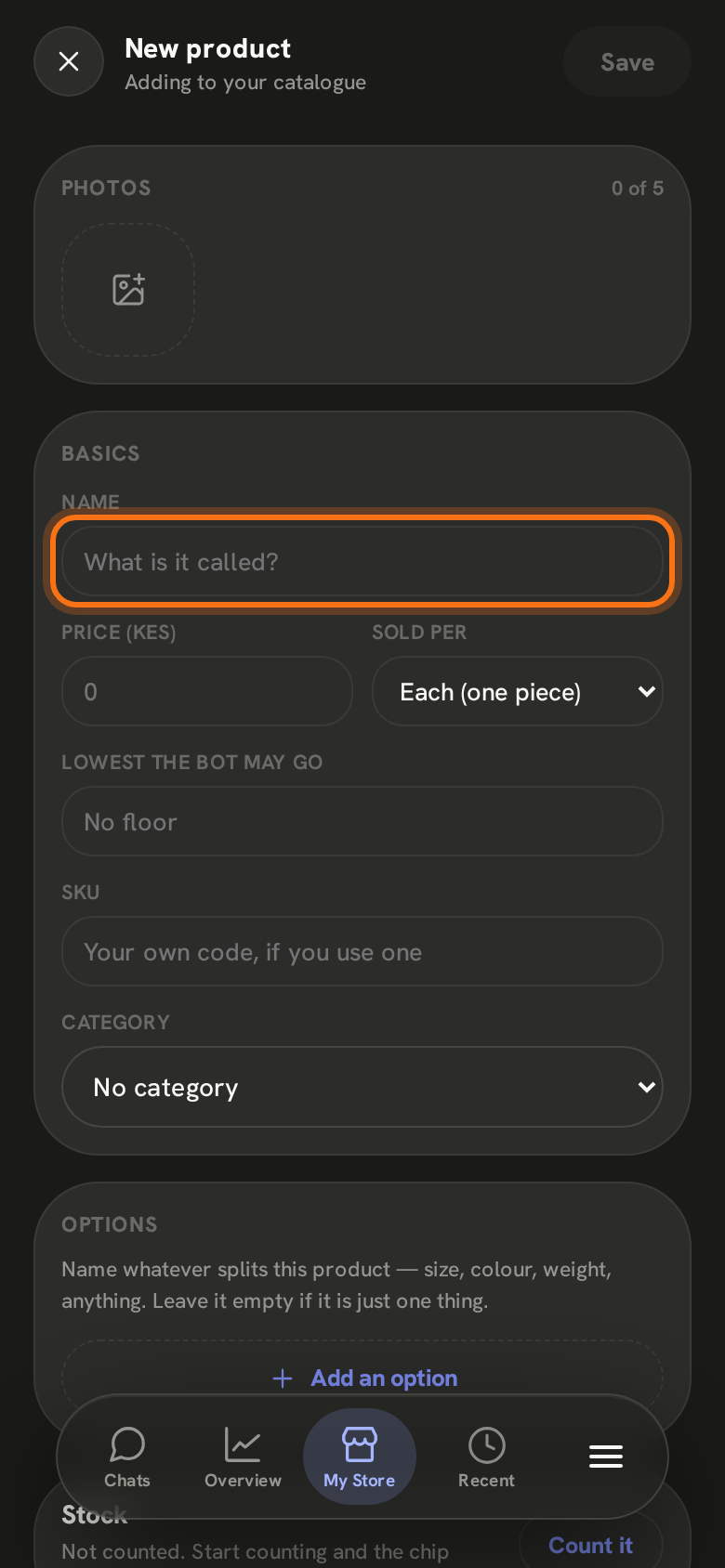
The alert clears itself as soon as the bot has a product to offer.
Still stuck? Email support@zenai.pro with your business name and what you see.